

Key Takeaways
Remote on/off control from anywhere
As long as your phone has an internet connection, you can switch a plugged-in device on or off regardless of whether you're in another room or across the country.
Scheduling automates daily routines
Lamps, fans, and simple appliances can be set to turn on or off at specific times, reducing the need to remember manual tasks each day.
Works with voice assistants
Most Wi-Fi smart plugs integrate with Amazon Alexa, Google Assistant, and Apple HomeKit, enabling hands-free control through voice commands.
No installation or wiring required
Smart plugs simply plug into existing outlets, making them accessible to renters and anyone uncomfortable with electrical work.
Energy monitoring reveals hidden usage
Models with built-in current sensors show real-time and historical power consumption, helping you identify energy-hungry appliances on standby.
Cannot control devices needing button input
Appliances that require you to press a power or start button after being plugged in — such as many modern coffee makers or air conditioners — will not activate when the smart plug turns on.
Safety risks with high-draw appliances
Using smart plugs to automate space heaters or other high-wattage devices without supervision creates fire risk; always verify wattage limits and consider whether unattended operation is appropriate.
Dependent on Wi-Fi and cloud services
Most smart plugs rely on a stable home network and the manufacturer's cloud infrastructure; if either goes down, remote control and scheduling may stop working until connectivity is restored.
Cannot change internal device settings
A smart plug controls only whether power flows — it cannot adjust a device's temperature setting, speed, brightness, or any other internal parameter.
Bulky design can block adjacent outlets
Many smart plugs occupy significant physical space and may cover a second outlet on a standard duplex receptacle, effectively reducing usable outlets.
Our Verdict
Smart plugs are a low-cost, genuinely useful entry point into home automation — particularly for scheduling lamps, fans, and small appliances. Their limitations become apparent when you expect them to control anything requiring its own settings panel or that poses a fire hazard when left unattended. Used within their actual capabilities, they reliably deliver on convenience.
Ideal for renters, first-time smart home adopters, or anyone who wants simple remote control and scheduling without rewiring or replacing existing devices.
How Smart Plugs Actually Work
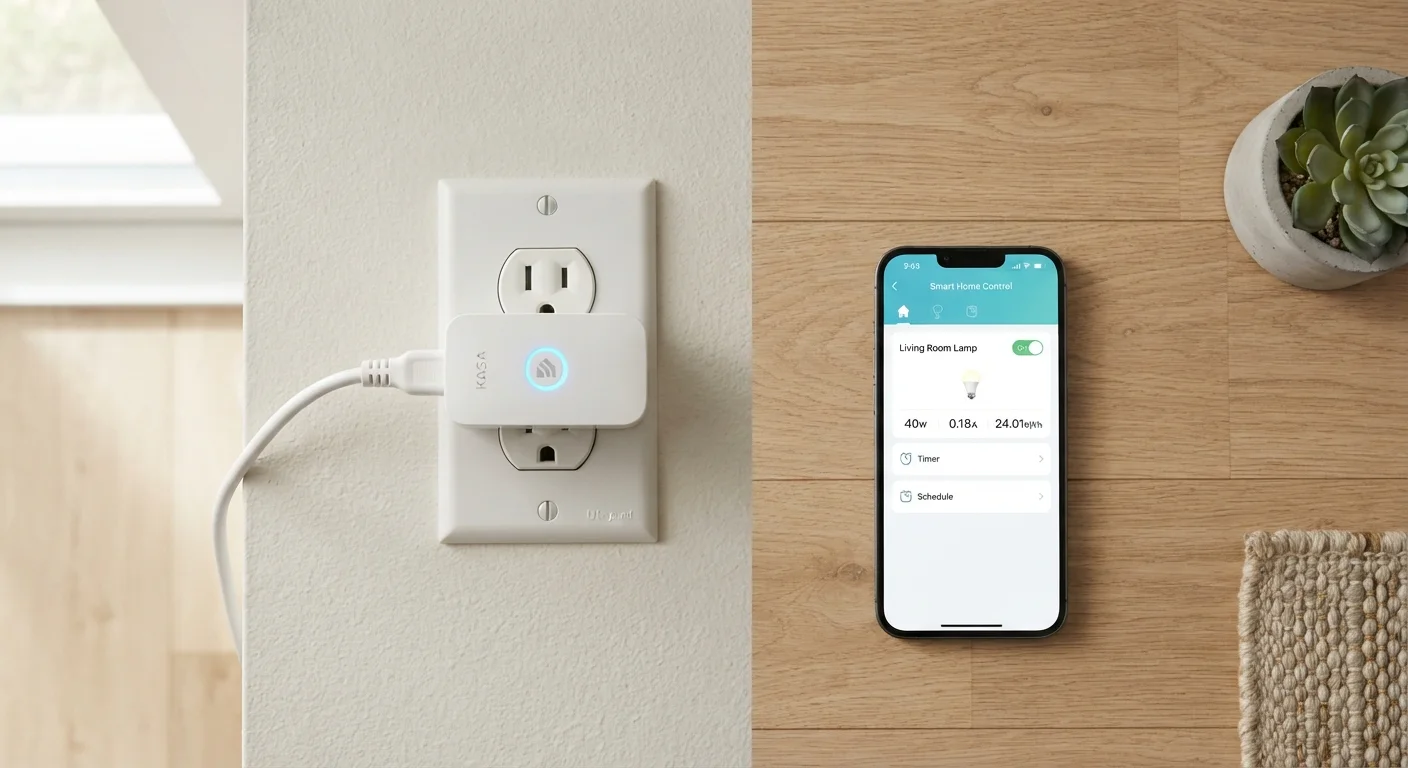
A smart plug is a small adapter that sits between your wall outlet and whatever device you plug into it. Inside, a relay switch opens or closes the circuit on command, cutting or restoring power to the connected device. Most smart plugs communicate over your home's Wi-Fi network (typically the 2.4 GHz band) or, less commonly, via Bluetooth or a hub-based protocol like Zigbee or Z-Wave.
Once connected to a companion app on your smartphone, you can turn the outlet on or off remotely, set schedules, or trigger it through a voice assistant such as Amazon Alexa or Google Assistant. Some models also include a small current sensor that tracks how much electricity the connected device is drawing — a feature commonly called energy monitoring.
The key concept to understand is this: a smart plug only controls power. It does not send any signal into the device itself. Turning a smart plug on is identical, from the appliance's perspective, to physically plugging it in.
Smart Plugs vs. Smart Switches
Smart plugs and smart switches are related but different. A smart plug controls a single outlet and the device plugged into it. A smart switch replaces a wall switch and controls a hardwired fixture, such as overhead lighting. If you want to automate ceiling lights or outlets that are wired directly into the wall, a smart switch — typically installed by an electrician — is the appropriate solution, not a smart plug.
What Smart Plugs Do Well
Within their actual scope, smart plugs handle several tasks reliably and conveniently.
Remote on/off control from anywhere
As long as your phone has an internet connection, you can switch a plugged-in device on or off regardless of whether you're in another room or across the country.
Scheduling automates daily routines
Lamps, fans, and simple appliances can be set to turn on or off at specific times, reducing the need to remember manual tasks each day.
Works with voice assistants
Most Wi-Fi smart plugs integrate with Amazon Alexa, Google Assistant, and Apple HomeKit, enabling hands-free control through voice commands.
No installation or wiring required
Smart plugs simply plug into existing outlets, making them accessible to renters and anyone uncomfortable with electrical work.
Energy monitoring reveals hidden usage
Models with built-in current sensors show real-time and historical power consumption, helping you identify energy-hungry appliances on standby.
Scheduling is arguably the most practical use case. Setting a lamp to turn on at sunset or a coffee maker to start brewing before your alarm goes off takes a few minutes of setup and then runs automatically. For devices that power on immediately when electricity is supplied — most lamps, fans, basic space heaters with manual dials, and holiday lights — this works flawlessly.
Where Smart Plugs Fall Short
Understanding the limits of smart plugs prevents frustration and, in some cases, keeps you safe.
Cannot control devices needing button input
Appliances that require you to press a power or start button after being plugged in — such as many modern coffee makers or air conditioners — will not activate when the smart plug turns on.
Safety risks with high-draw appliances
Using smart plugs to automate space heaters or other high-wattage devices without supervision creates fire risk; always verify wattage limits and consider whether unattended operation is appropriate.
Dependent on Wi-Fi and cloud services
Most smart plugs rely on a stable home network and the manufacturer's cloud infrastructure; if either goes down, remote control and scheduling may stop working until connectivity is restored.
Cannot change internal device settings
A smart plug controls only whether power flows — it cannot adjust a device's temperature setting, speed, brightness, or any other internal parameter.
Bulky design can block adjacent outlets
Many smart plugs occupy significant physical space and may cover a second outlet on a standard duplex receptacle, effectively reducing usable outlets.
2.4 GHz
Wi-Fi band most smart plugs require
Most consumer smart plugs connect only to the 2.4 GHz Wi-Fi band, not the 5 GHz band — a common setup issue in dual-band or mesh routers.
~1,800W
Typical maximum rated load
Many smart plugs list a maximum load of around 1,800 watts (15 amps at 120V), which is why high-draw appliances like electric heaters warrant extra caution.
The most common misconception is that a smart plug can "smartify" any appliance. Devices that require you to press a button to start — drip coffee makers with digital displays, air conditioners with remote controls, or computers — will not resume their previous state when power is restored. They simply sit idle, waiting for a human input the plug cannot provide.
Safety is another real concern. Running high-draw appliances like space heaters or irons on a schedule means they could be left on without supervision. Most smart plug manufacturers publish a wattage limit (commonly 1,800 to 2,500 watts); exceeding that limit or using the plug with certain appliances in an unsupervised setting introduces fire risk. Always check the manufacturer's rated wattage and use common sense about what you leave running unattended.
Getting the Most Out of a Smart Plug
A few practical habits make smart plugs significantly more useful.
- Match the device to the plug's logic. Prioritize always-on devices — lamps, fans, phone charger stations, and small appliances with manual (non-digital) dials. These work predictably every time.
- Use schedules instead of relying on memory. The scheduling feature is more reliable than manually switching plugs on and off remotely, especially for routines like morning lighting or nightly device shutoffs.
- Monitor standby power draw. If your smart plug has energy monitoring, plug in entertainment equipment or older appliances to see how much power they consume on standby. Some devices draw surprising amounts of electricity even when "off."
- Group plugs into rooms or scenes. Most smart home apps let you group multiple smart plugs so a single command — "goodnight" — can cut power to several devices at once.
Smart plugs are a practical starting point for home automation precisely because they require no installation, no electrician, and no permanent changes to your home. Knowing exactly what they control — and what they cannot — lets you use them with realistic expectations and genuine satisfaction.