

| Permission control introduced on iOS | iOS 6 (2012) — expanded significantly with iOS 14 (Apple Developer Documentation) |
| Android runtime permissions introduced | Android 6.0 (Marshmallow, 2015) (Android Developer Documentation) |
| Granular photo access added | iOS 14+ allows per-photo selection; Android 14 adds similar controls (Platform release notes) |
| Location precision options | "Precise" (GPS) vs. "Approximate" (±1 mile radius) — user's choice on modern OS versions (iOS 14 / Android 12 feature documentation) |
| Auto-revoke unused permissions | Android 11+ automatically revokes permissions for apps unused for several months (Android Developer Documentation) |
What App Permissions Actually Are
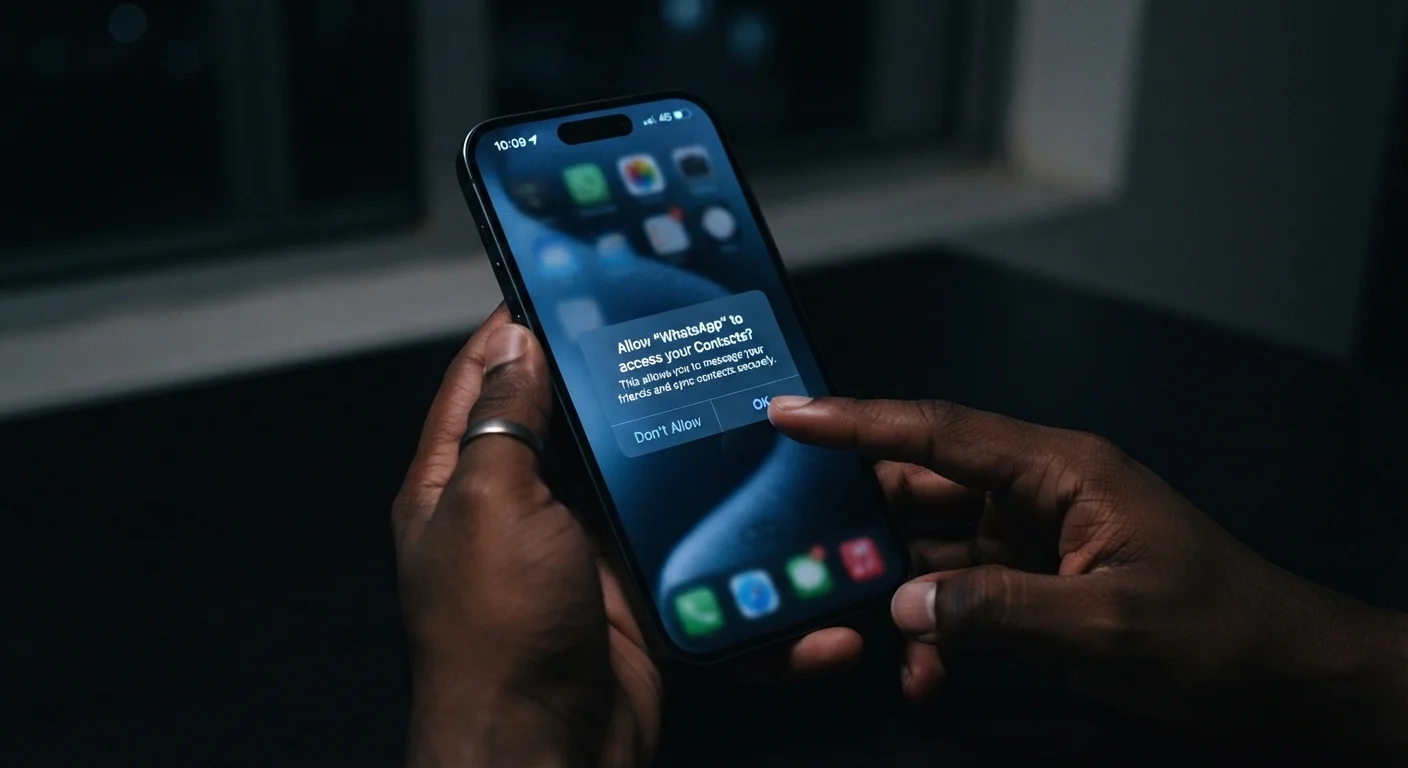
When you install an app and it asks to access your camera, contacts, or location, it's requesting a permission — a controlled gate your device's operating system uses to protect sensitive resources. Neither Android nor iOS lets an app silently grab access to your microphone or location history. The user must explicitly grant it.
That system works well in theory, but permission dialogs appear so frequently that most people tap "Allow" without reading them. This reference guide is designed to slow that habit down — not to make you paranoid, but to help you recognize which requests are routine and which warrant a second look.
If you're already feeling overwhelmed by how many apps are on your device, a structured app audit is a useful place to start before reviewing permissions.
| Permission control introduced on iOS | iOS 6 (2012) — expanded significantly with iOS 14 (Apple Developer Documentation) |
| Android runtime permissions introduced | Android 6.0 (Marshmallow, 2015) (Android Developer Documentation) |
| Granular photo access added | iOS 14+ allows per-photo selection; Android 14 adds similar controls (Platform release notes) |
| Location precision options | "Precise" (GPS) vs. "Approximate" (±1 mile radius) — user's choice on modern OS versions (iOS 14 / Android 12 feature documentation) |
| Auto-revoke unused permissions | Android 11+ automatically revokes permissions for apps unused for several months (Android Developer Documentation) |
Common Permissions and What They Actually Grant
Most permissions fall into recognizable categories. Here's what each one genuinely provides access to:
- Location: Your precise GPS coordinates or an approximate position derived from Wi-Fi and cell towers. "While using the app" is far less invasive than "Always" — the latter means the app can track your movements in the background, even when you haven't opened it.
- Camera: The ability to capture photos and video in real time. A photo editing or video calling app has an obvious need. A flashlight or calculator app does not.
- Microphone: Live audio input from your device's mic. Voice assistants and transcription tools need this. Be cautious when a game or utility app requests it without a clear functional reason.
- Contacts: Your full address book, including names, phone numbers, email addresses, and any notes you've attached. Some apps use this to find your connections; others upload the list to their servers for advertising purposes.
- Photos / Media Library: Read or write access to your stored images and videos. On both major mobile platforms, you can now grant access to selected photos rather than your entire library — use that option when it's available.
- Bluetooth: The ability to discover and connect to nearby devices. This is legitimate for speakers, earbuds, or fitness trackers. It can also be used for proximity tracking, even without GPS.
- Notifications: Permission to send you alerts, badges, and sounds. This one doesn't expose your personal data, but granting it freely leads to attention overload. How notifications reach your screen is worth understanding separately.
Runtime permission
A permission requested by an app while it's running, rather than granted automatically at install. The user sees a dialog and chooses to allow or deny it in the moment.
Background access
The ability for an app to use a resource — such as location or microphone — even when the app is not open on your screen. Background location access in particular can enable continuous movement tracking.
Permission scope
The extent of what a granted permission covers. For example, granting photo access can mean all photos or only selected ones, depending on the scope you choose.
Sensitive permission
A category of permission that grants access to personal data or device features that could affect privacy if misused. Location, microphone, camera, and contacts are all classified as sensitive on major mobile platforms.
A Simple Framework for Deciding What to Allow
Rather than memorizing a list of dangerous permissions, apply one guiding question: Does this permission make sense for what this app does?
A navigation app needs location. A social app needs camera and microphone if it supports video. A recipe app asking for your contacts or microphone access has no obvious need — and that mismatch is the signal to pause.
You Can Change Your Mind Anytime
Granting a permission when you install an app is not a permanent commitment. On both iPhone and Android, go to Settings > Privacy (or Apps) to see every permission category and which apps have been granted access. Revoking a permission rarely breaks an app — at most, it disables one specific feature. If an app stops working entirely when a seemingly unrelated permission is removed, that's worth noting.
Two practical habits help over time. First, choose "While Using the App" over "Always" whenever location or microphone access is optional. Second, revisit permissions periodically — both Android and iOS have a permissions summary screen in Settings that shows which apps accessed sensitive resources recently and how often.
When evaluating a new app, it's also worth considering whether a browser-based version of the same tool might serve your needs with fewer permission demands. Native apps vs. browser tools have meaningful differences in what data they can access.
45%
Apps requesting location access that don't need it for core function
According to a 2021 analysis by the International Computer Science Institute, nearly half of Android apps studied requested location data beyond apparent functional need.
3 in 4
Mobile users who tap "Allow" without reading permission text
Research published in various digital privacy studies consistently finds the majority of users accept permission dialogs without reviewing what access is being granted.
Permissions you've already granted can always be revoked. No app is permanently entitled to access it once earned — you can adjust any permission in your device's Settings without uninstalling the app.