

Key Takeaways
Option A
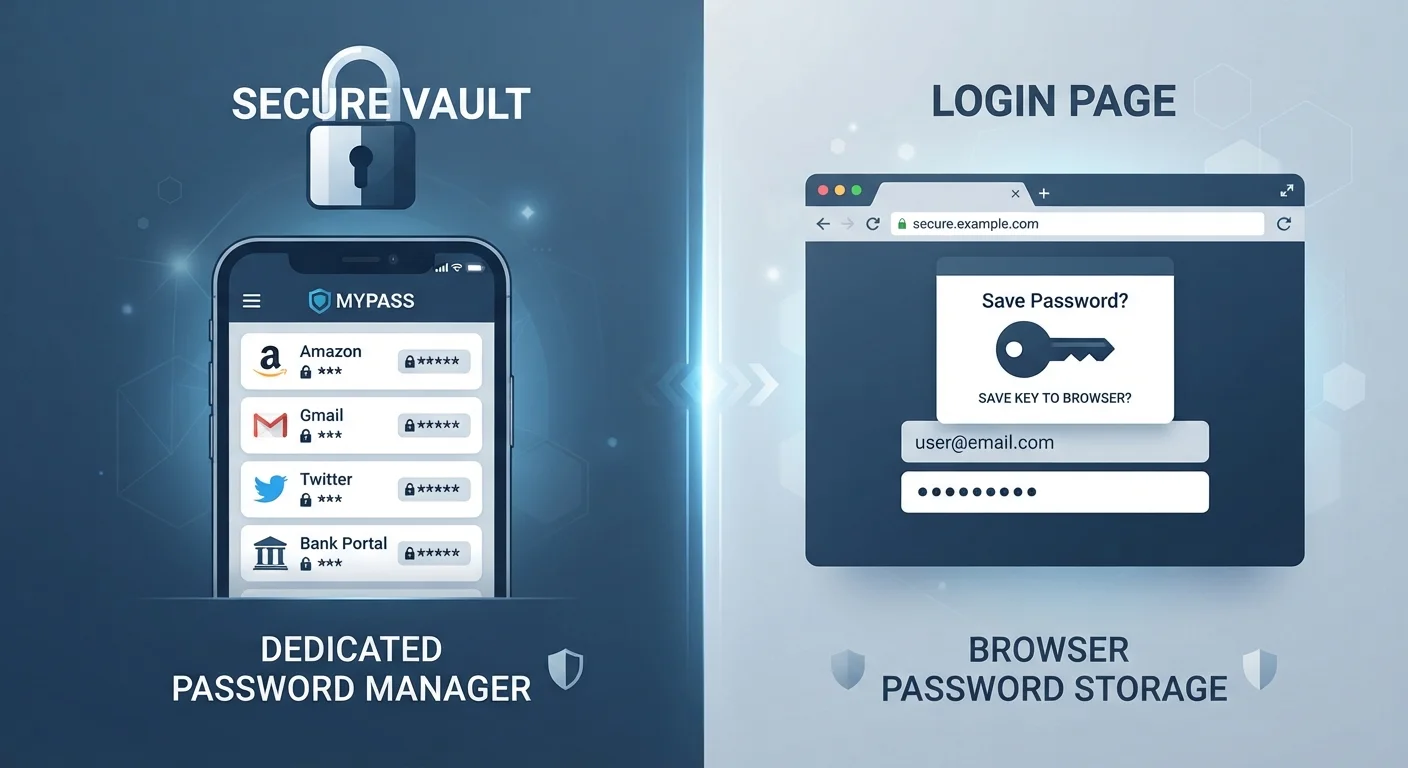
Dedicated Password Manager
The purpose-built, cross-platform security solution.
Best for: Anyone who uses multiple browsers or devices and wants strong, encrypted password storage independent of any single platform.
Option B
Browser-Saved Passwords
The convenient, built-in option already in your browser.
Best for: Casual users who primarily stick to one browser and want zero-setup convenience without installing extra software.
If you use multiple browsers or devices regularly
Dedicated Password Manager
A standalone manager syncs seamlessly across Chrome, Safari, Firefox, and mobile apps — your passwords go wherever you go.
If you only ever use one browser and want zero setup
Browser-Saved Passwords
Built-in browser storage requires no extra app and works automatically, making it a practical baseline for low-complexity users.
If online security is a top priority for you
Dedicated Password Manager
Standalone managers use end-to-end encryption, offer breach monitoring, and are not exposed if your browser account is compromised.
If you share a device with family members
Dedicated Password Manager
Most dedicated managers support separate vaults or family plans, keeping each person's credentials isolated and protected.
How Each Option Actually Works
When you save a password in your browser — Chrome, Firefox, Safari, or Edge — it gets stored locally on your device and, if you're signed in, synced to your browser account in the cloud. Retrieval happens automatically when you revisit a site, making the experience nearly invisible.
A dedicated password manager (a standalone app or service) works differently. It creates an encrypted vault protected by a single master password that only you know. Every login you store is locked inside that vault using strong encryption. The app then autofills credentials across browsers and devices through its own extension or interface.
The key distinction: browser storage is tied to the browser's own account and ecosystem. A dedicated manager is independent — it works regardless of which browser you open. For a deeper look at how installed apps differ from browser-based tools, see our guide on native apps vs. browser-based tools.
| Criterion | Dedicated Password Manager | Browser-Saved Passwords |
|---|---|---|
| Encryption | End-to-end encrypted vault | Varies by browser; account-level protection |
| Cross-browser support | Works across all browsers | Tied to one browser ecosystem |
| Setup required | App install + master password | None — built in automatically |
| Breach monitoring | Usually included | Limited; varies by browser |
| Two-factor authentication | Typically supported | Relies on browser account 2FA |
| Portability | Any device, any browser | Same browser/account only |
| Password generation | Built-in, customizable | Basic; varies by browser |
Security: Where the Real Differences Lie
Browser-saved passwords have improved considerably in recent years. Modern browsers warn you about weak or reused passwords, and some flag credentials found in known data breaches. However, there are structural limits. If someone gains access to your unlocked browser — or your Google, Apple, or Microsoft account — they can potentially view or export your saved passwords.
Dedicated managers address this with end-to-end encryption, meaning even the service provider cannot read your vault. Many also offer dark-web monitoring, secure notes, and built-in two-factor authentication (2FA) support. These features matter most if your threat level is higher — for example, if you manage sensitive financial or work accounts.
That said, both options are dramatically safer than the most common bad habit: reusing the same password across sites. Learn why password reuse is riskier than most people realise — a single breach can cascade into dozens of compromised accounts.
81%
Data breaches involving weak or stolen passwords
According to Verizon's Data Breach Investigations Report, the large majority of hacking-related breaches exploit weak or reused credentials.
100+
Average passwords per person
Research from NordPass estimates the average person has over 100 passwords to manage across personal and work accounts.
65%
People who reuse passwords across sites
A Google/Harris Poll survey found nearly two-thirds of respondents admit to reusing the same password on multiple accounts.
Convenience, Compatibility, and Everyday Use
Browser-saved passwords win on effortless setup — there's nothing to install or configure. If you're already signed into Chrome on your phone and laptop, your passwords follow automatically. For users who live entirely within one browser ecosystem, this friction-free experience is genuinely valuable.
Dedicated managers require a little more upfront effort: installing the app, setting a master password, and adding a browser extension. After that initial setup, the day-to-day experience is similarly smooth. The payoff is portability: switch browsers, get a new phone, or work on a colleague's computer and your vault still works.
Don't Overlook Your Device Lock Screen
Both browser-saved passwords and dedicated managers depend on your device being physically secure. If your phone or computer has no lock screen PIN or password, anyone who picks it up can access your stored credentials. Always enable screen lock as a baseline — it's the first line of defence regardless of which password storage method you choose.
For practical habits that complement whichever storage method you choose — including how to set up two-factor authentication — our account security habits guide covers the essentials without technical jargon.
Which One Should You Use?
For most people, a dedicated password manager offers a meaningfully stronger security foundation, especially if you use more than one device or browser. The learning curve is modest and the long-term benefits — encrypted storage, cross-platform access, breach alerts — are substantial.
Browser-saved passwords are a reasonable starting point if you're just getting into the habit of not reusing passwords, or if you're helping a less tech-savvy family member build better defaults without overwhelming them.
If you want to understand the underlying mechanics of how dedicated managers protect your data, Password Managers Demystified explains what happens behind the scenes in plain terms.
Whatever you choose, the most important step is generating unique passwords for every account — and letting software remember them so you don't have to.